Loading Pockeo ©2026

Your money.
Finally under control.

Pockeo, the budgeting and personal finance app.

Pockeo tells you exactly how much you can spend today — once your bills, your spending and your savings are taken out.

No bank connection. No card required. Daily or rollover budget, your choice.

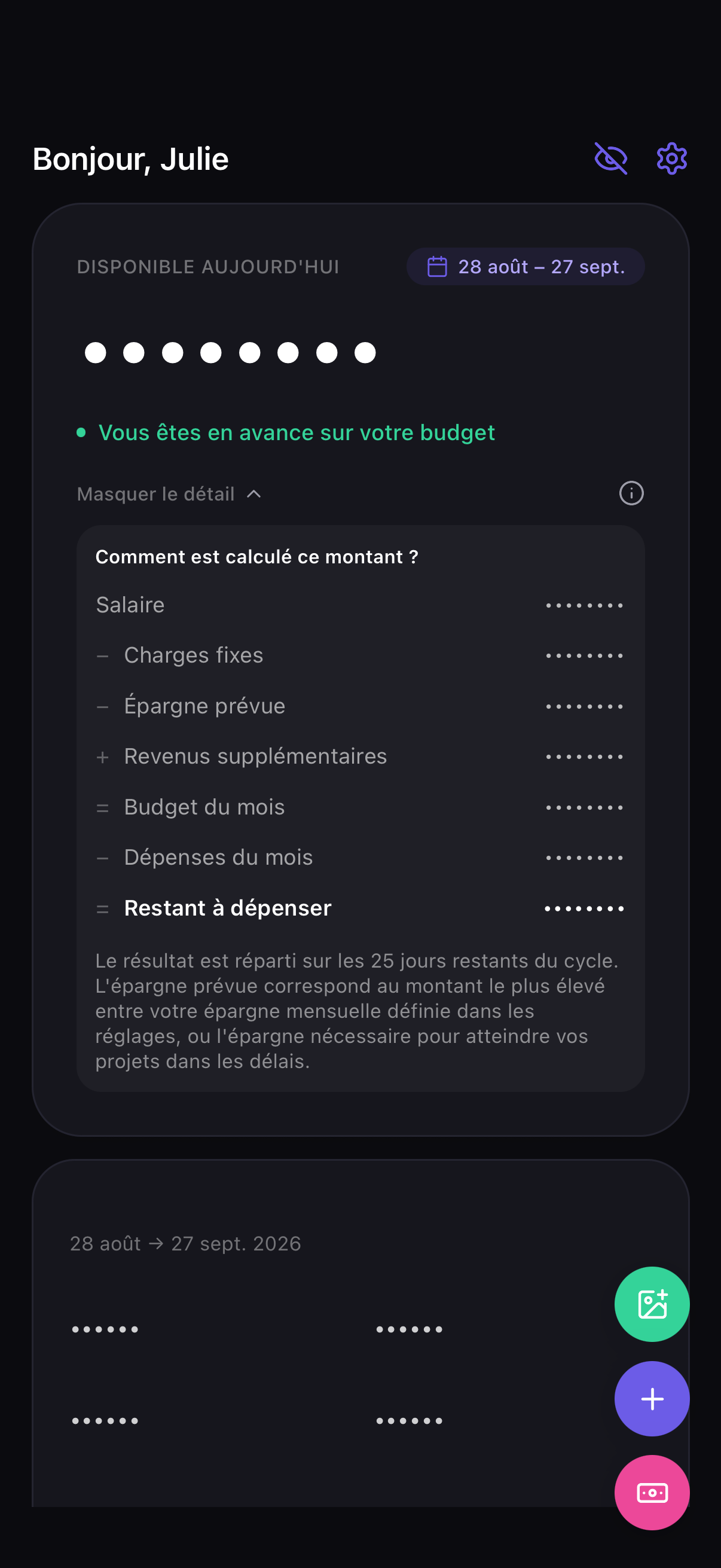
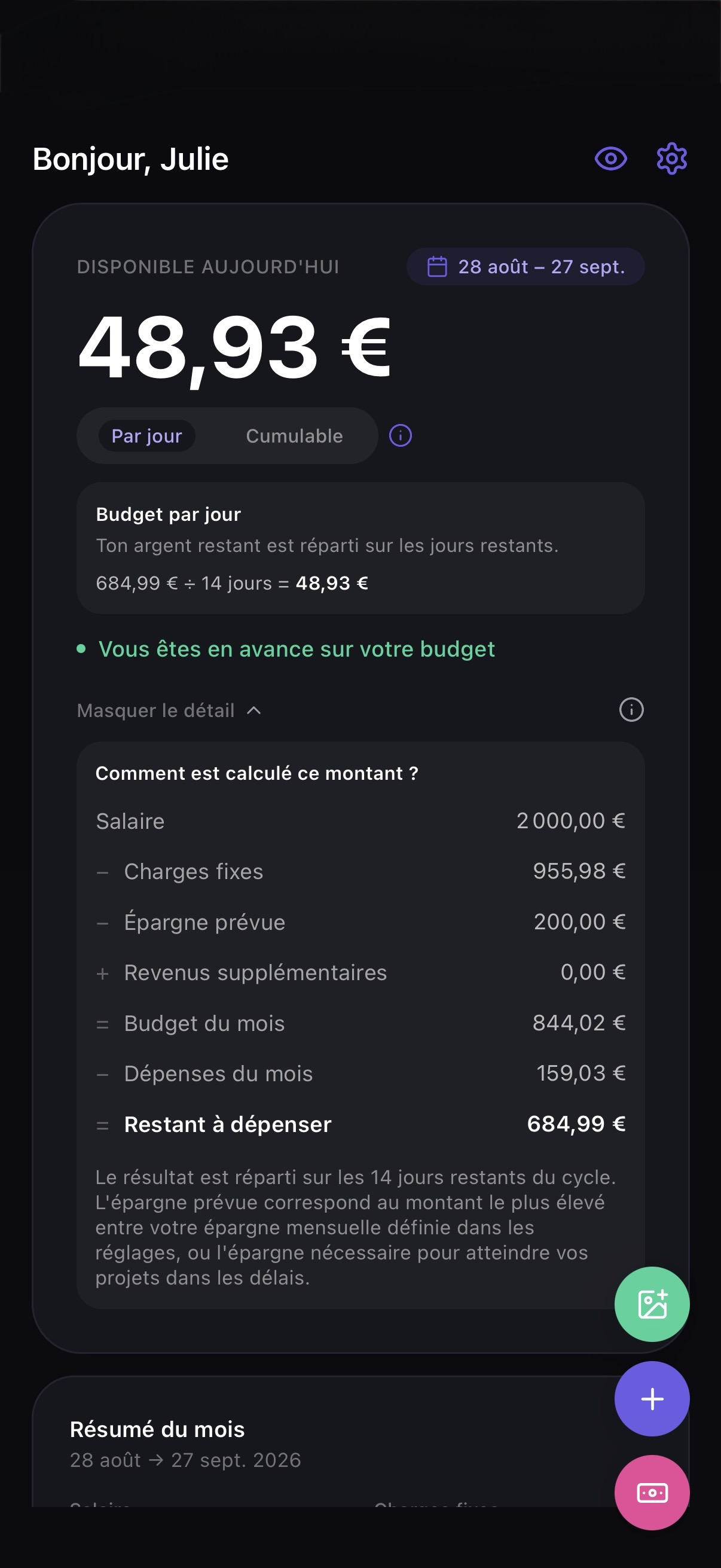
Pockeo dashboard showing today's available budget

Four screens, and you know where you stand.

No dashboard to spend an hour setting up. You open it, you see it.

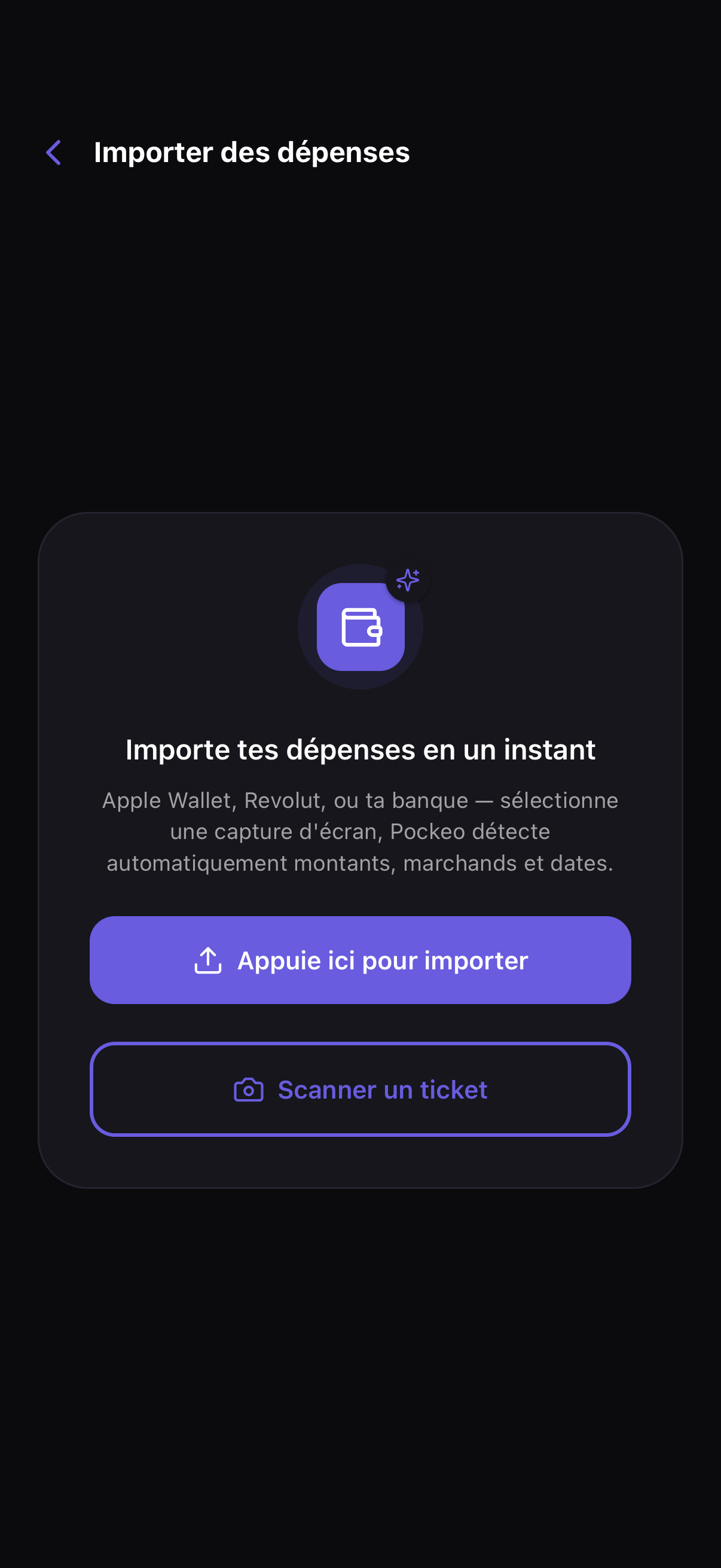
Screen for importing an expense from a screenshot or a receipt
Import

A screenshot, or a receipt

Apple Wallet, Revolut, your bank: send the screenshot. Or scan a paper receipt directly. Pockeo reads the merchant, the amount and the date — you confirm with one tap, and nothing is added without your say-so.
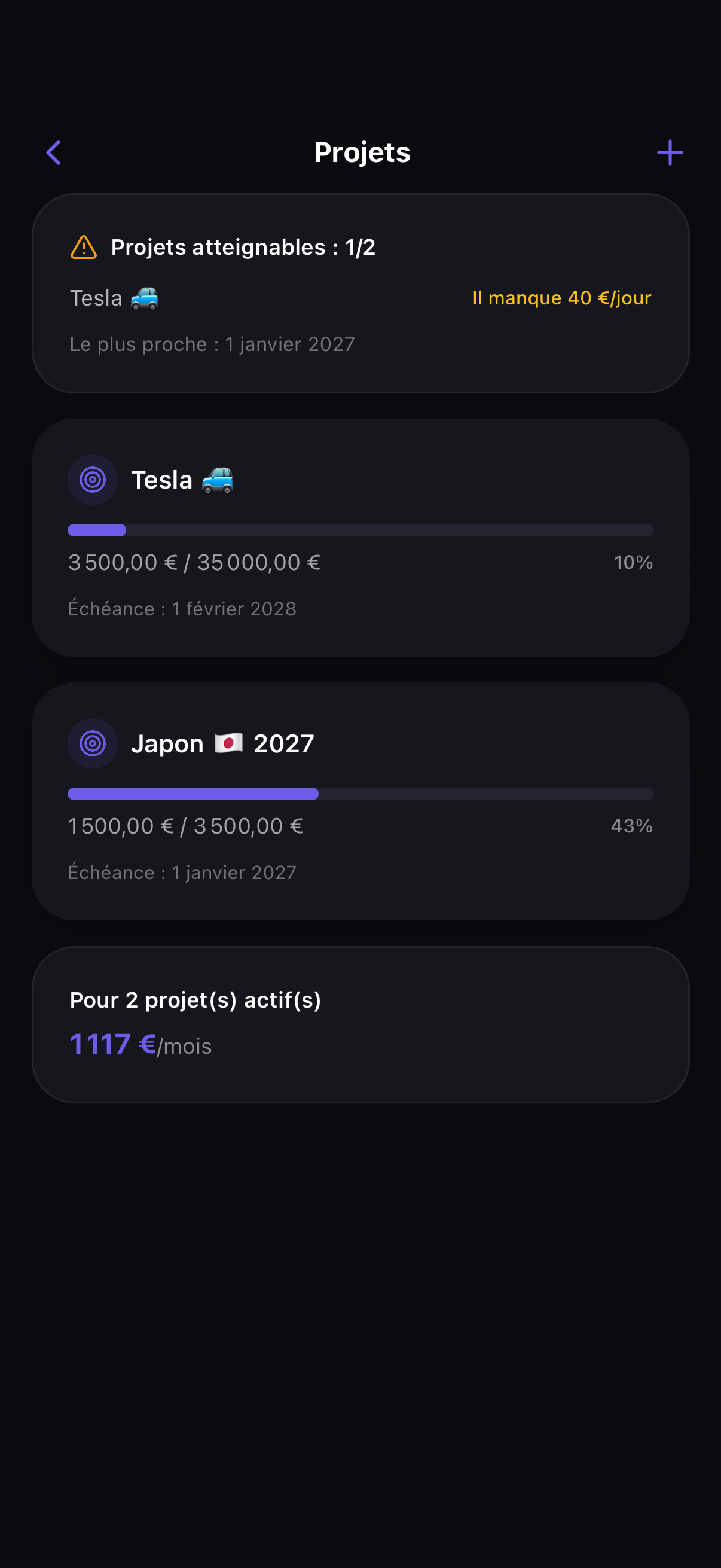
Savings goals screen with progress tracking
Goals

Your goal, with a date on it

A trip, a move, a safety cushion. Pockeo tells you whether your current savings pace gets you there in time — and by how much you're off if it doesn't.

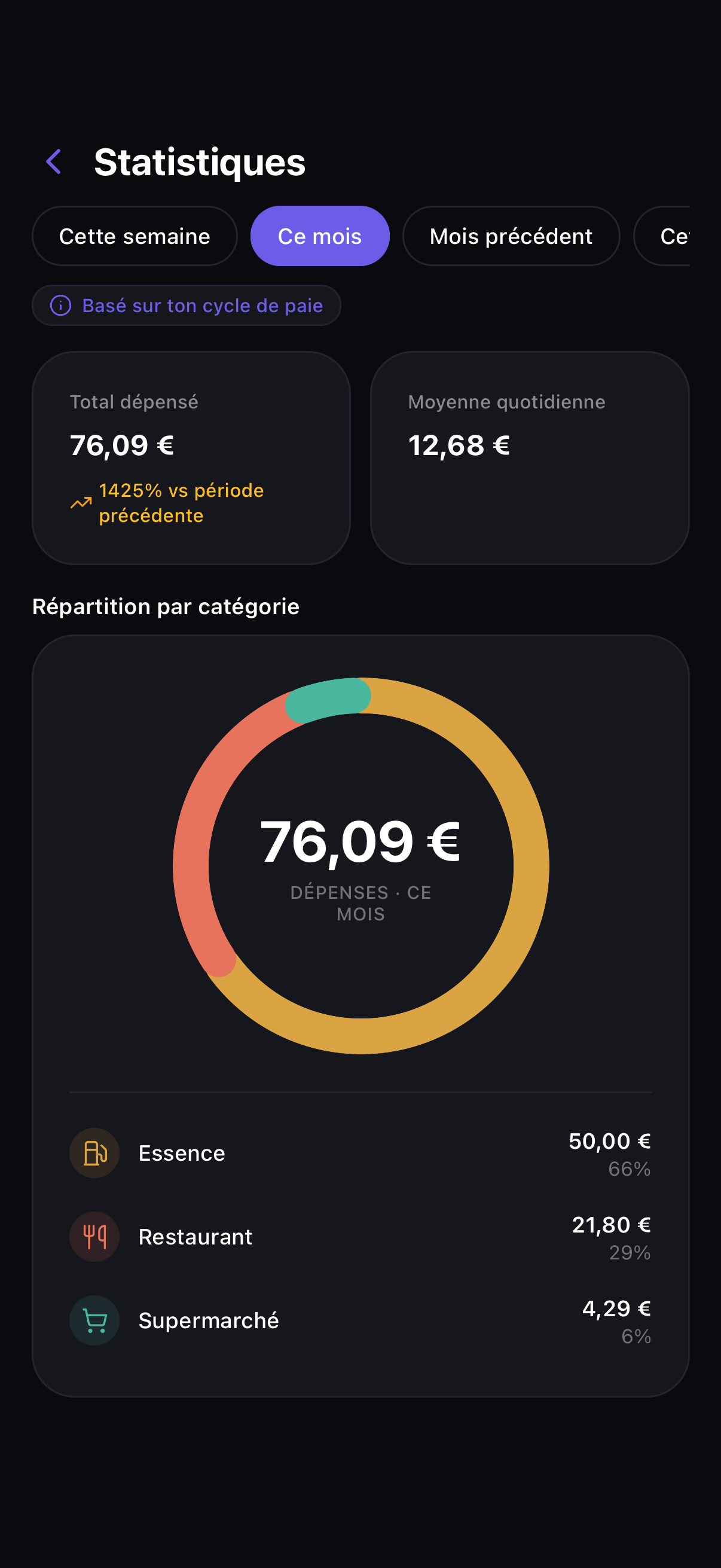
Spending breakdown by category
Stats

Where your money goes

The breakdown by category, month after month. That's usually where you spot the line you never suspected.

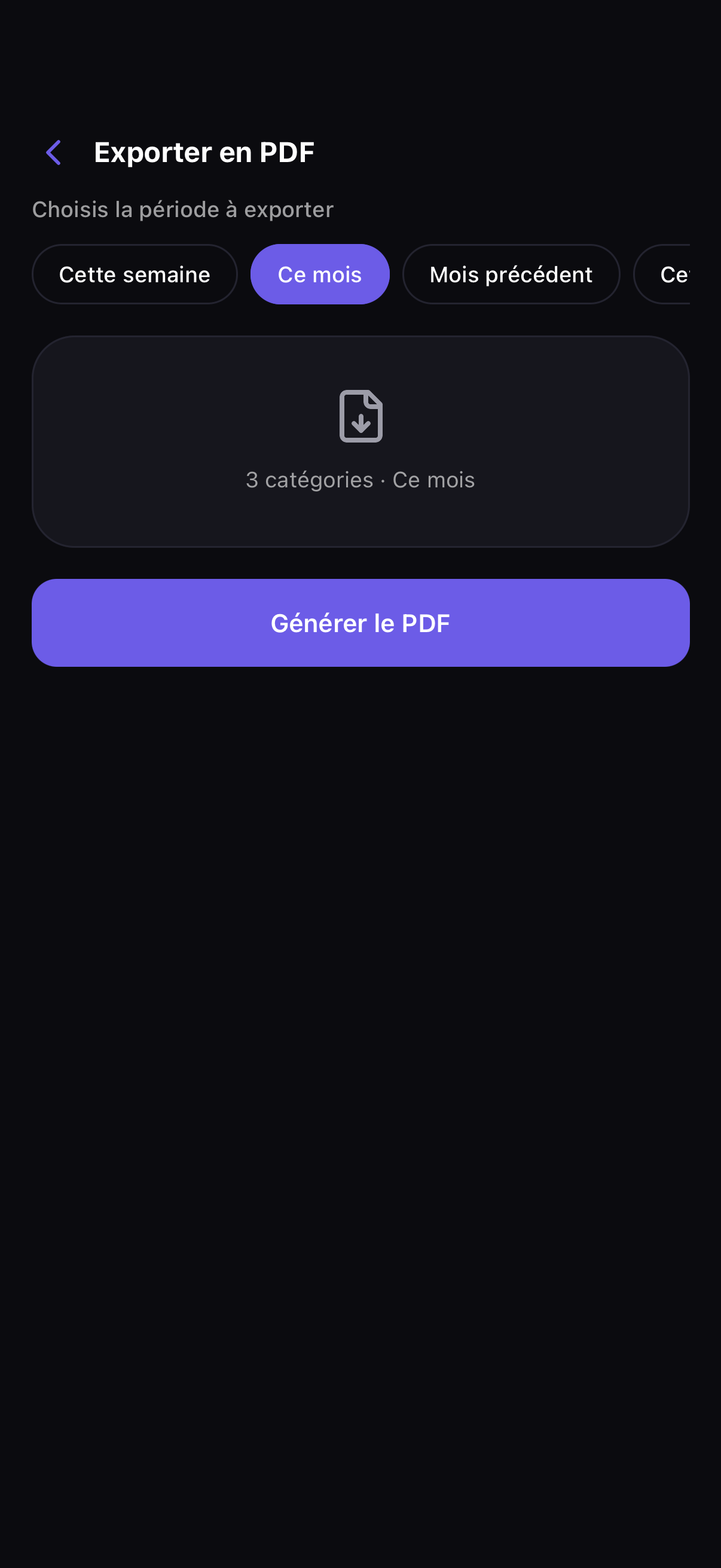
Example of a PDF report generated by Pockeo
Report

A PDF ready to send

Total, breakdown, detail per category. Handy for a flatmate, an accountant, or just to keep a clean record of the month.

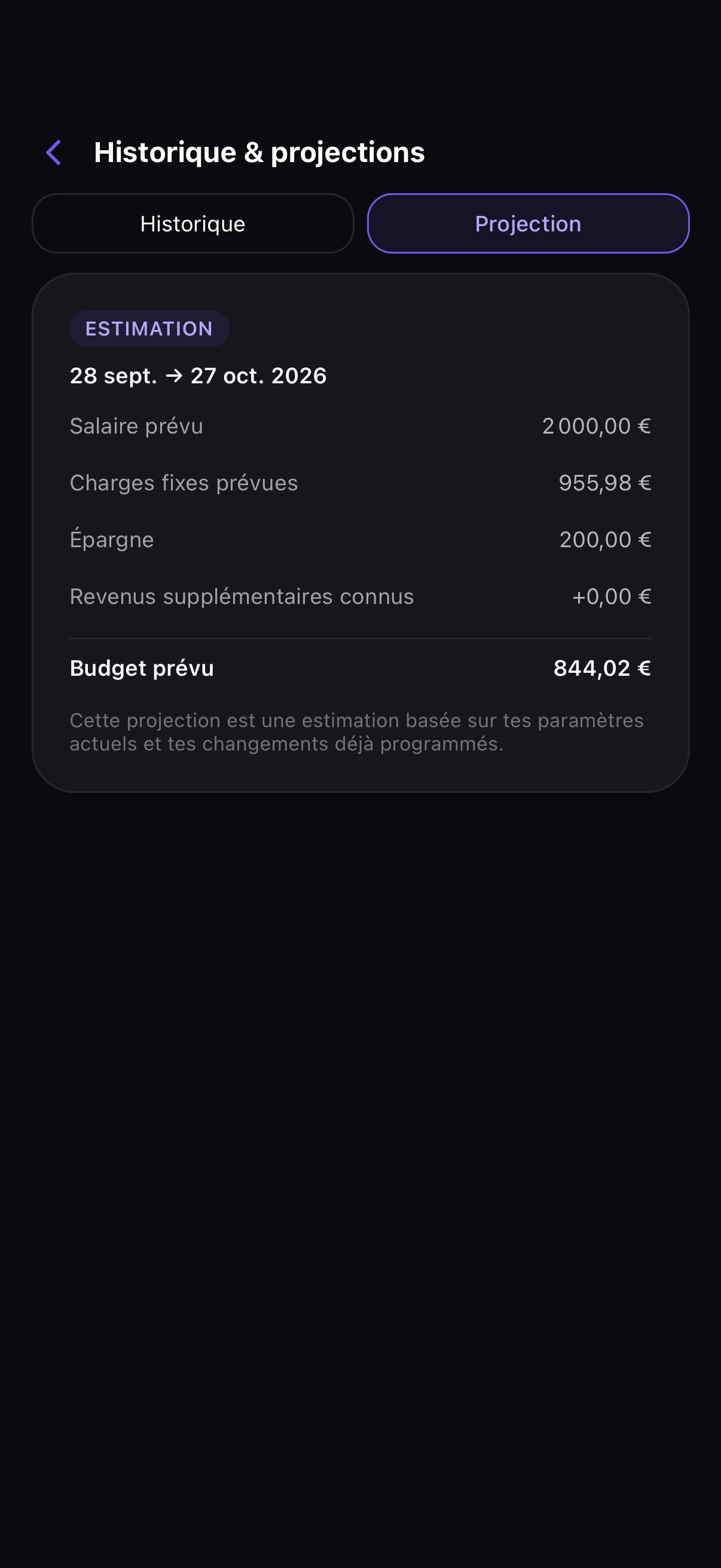
History by pay period and projection for the coming month
History

The past, and the month ahead

Your earlier periods stay readable exactly as they happened. And if you schedule a rent rise or a change of salary, the projection shows you next month before it arrives.

  • History split by pay period, not calendar month
  • A scheduled change never rewrites the past

And plenty more.

Face ID / Touch ID

The app locks behind your biometrics. Nobody opens your accounts by taking your phone out of your hands.

Privacy mode

One gesture hides every amount. Handy on the train, or when someone is reading over your shoulder.

Apple Pay shortcut

After a payment, a shortcut pre-fills the expense. All you do is confirm.

Three languages

French, English, Spanish. The app follows your phone's language, or the one you pick.

Categories your way

Rename, add, remove. Your categories should look like your life, not like a generic template.

Encrypted data

Your data is encrypted, hosted in Europe, and never resold to anyone.

One calculation chain.

Every screen in the app starts from the same calculation. You'll never see two figures contradicting each other.

Income 2 400 €
Fixed bills 812 €
Savings 150 €
Extra income 120 €
Already spent 358 €
Left in the cycle 1 200 €
Days left 13
Available today 92,31 €
Default

Daily budget

What's left is spread across the days remaining in your period. Every morning you start from a fresh daily figure.

800 € left and 15 days → about 53.33 € a day.

Optional

Rollover budget

What you don't spend stays available on the following days. The balance can go below zero, and Pockeo shows it to you without hiding anything.

50 € a day, nothing spent today → about 100 € tomorrow.

The cycle starts on your payday, not on the 1st. Pockeo takes out your fixed bills and your savings, adds any extra income, subtracts what you have already spent, then divides the rest by the days left before your next pay. The figure updates with every expense you add.

Questions that keep coming up

Missing one? Write to us, we answer fast.

Never. Pockeo asks for no banking credentials and connects to no bank. You add expenses by hand or by importing a screenshot. Your data stays under your control.

Two minutes. You enter your income, your fixed bills and what you want to save. The available amount appears straight away.

Everything you need day to day is free, with no cap on expenses: budget, goals, stats, PDF export. Premium unlocks one thing only, unlimited screenshot import. No ads, no data resale.

Yes. You adjust your income when it changes, and the whole chain recalculates: today's budget, goals, forecasts.

Not yet. Pockeo is available on iPhone. Message us on WhatsApp if you'd like to hear when Android lands.

Know tonight what you can spend tomorrow.

Two minutes to set up the first month. After that it runs on its own.

Download on theApp Store
Pockeo Usually replies quickly

Hi there! 👋
A question about Pockeo? We answer directly on WhatsApp.

Start the conversation